Five starter templates
Classic Stripes, Checkerboard, Three-Wood Bands, Diagonal Accent, Minimalist. Pick a starting point and customize from there.
For woodworkers, makers and gift-givers
Stack wood species, set angles and widths, and see every cut, slice and material before you reach for the saw — in your browser, or on iPhone, iPad and Mac.
Cutting Board Designer is a combined cutting board designer and calculator for planning end grain cutting boards, butcher blocks, and charcuterie boards in 3D. It runs free in any browser, and as a native app on iPhone, iPad, and Mac. Built for woodworkers who want to know exactly what their finished board will look like — and exactly how much wood they need to buy — before reaching for the saw.
Stack wood species, set widths and angles for each layer, and the app generates a live 3D end grain render, an augmented-reality preview at full real-world scale, and an exact cut list with strip widths, slice counts, and blade kerf compensation — replacing the cutting board calculator spreadsheets makers used to keep on the shop wall. Five starter templates (Classic Stripes, Checkerboard, Three-Wood Bands, Diagonal Accent, Minimalist) get you to a working board in seconds; the Pro tier adds custom wood species and unlimited projects.
From your first stripe to your final glue-up, Cutting Board Designer plans the geometry so you can focus on the craft.
Classic Stripes, Checkerboard, Three-Wood Bands, Diagonal Accent, Minimalist. Pick a starting point and customize from there.
Rotate, zoom and inspect a fully rendered end grain board the moment you change a layer. No render button, no waiting.
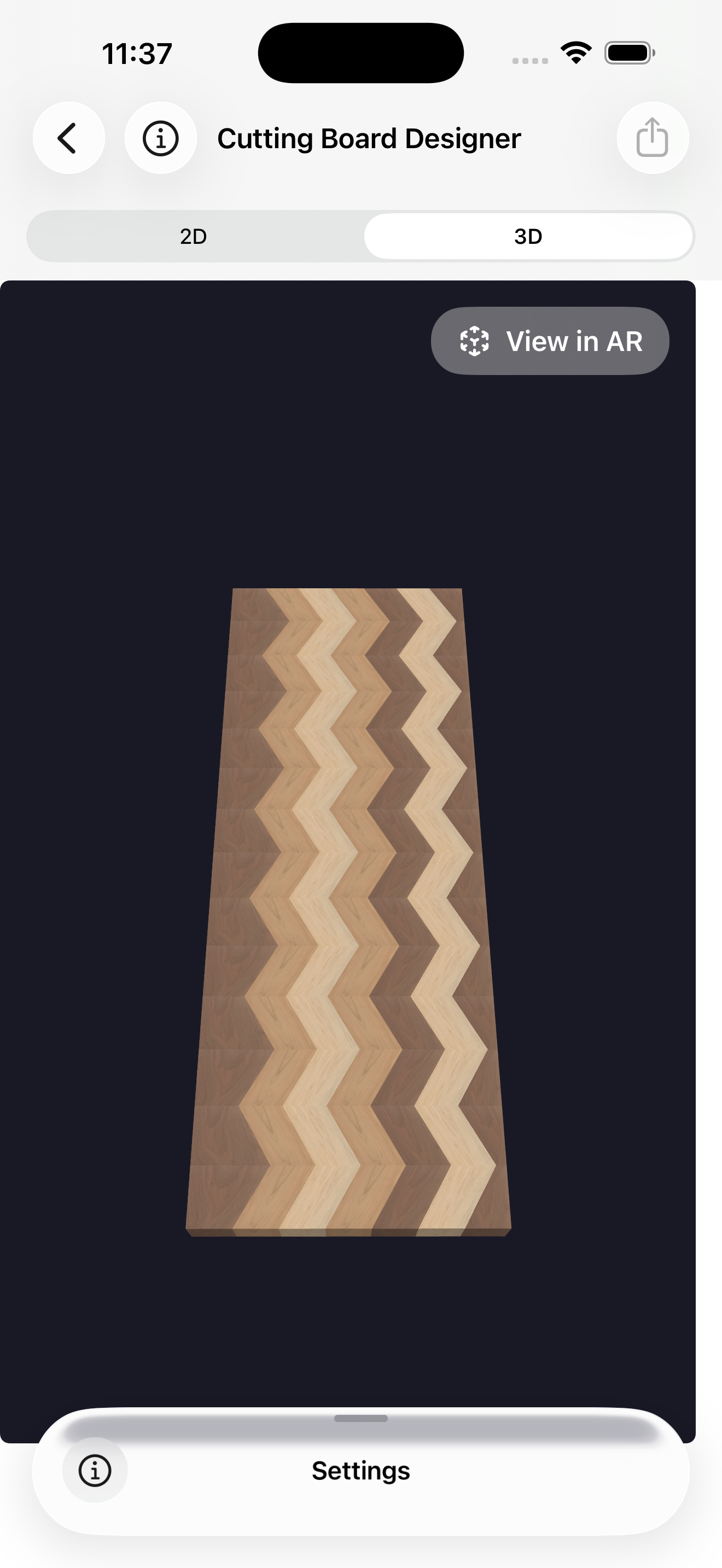
Tap View in AR to drop your design into your real workshop or kitchen at full scale. See the size before you cut.
The app calculates your strip widths, slice count, blade kerf, board length and total wood needed per species. No surprises at the bench.
Walnut, maple, cherry, ebony, jatoba and purpleheart out of the box. Pro unlocks custom wood species with your own colour swatches.
Sketch an idea on the couch, refine it on iPad, build it from your Mac. Sign in once and your projects follow you everywhere.
Start from a template or a blank board. Add layers, drag in wood species, and the app updates the 3D preview live.
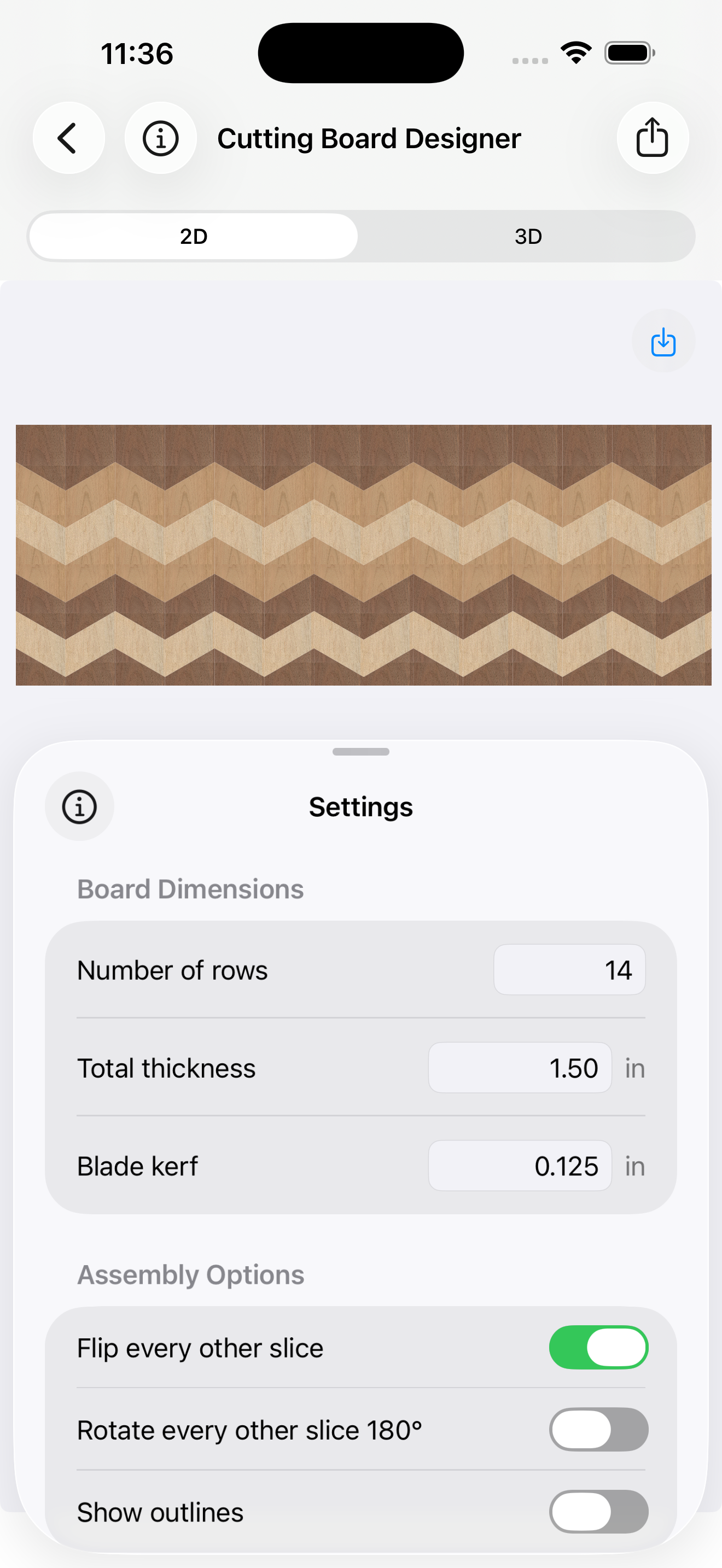
Before you head to the lumberyard, the Materials Required screen runs the full cutting board calculator — every wood species, every dimension, every offcut. No pen-and-paper math, no spreadsheet.
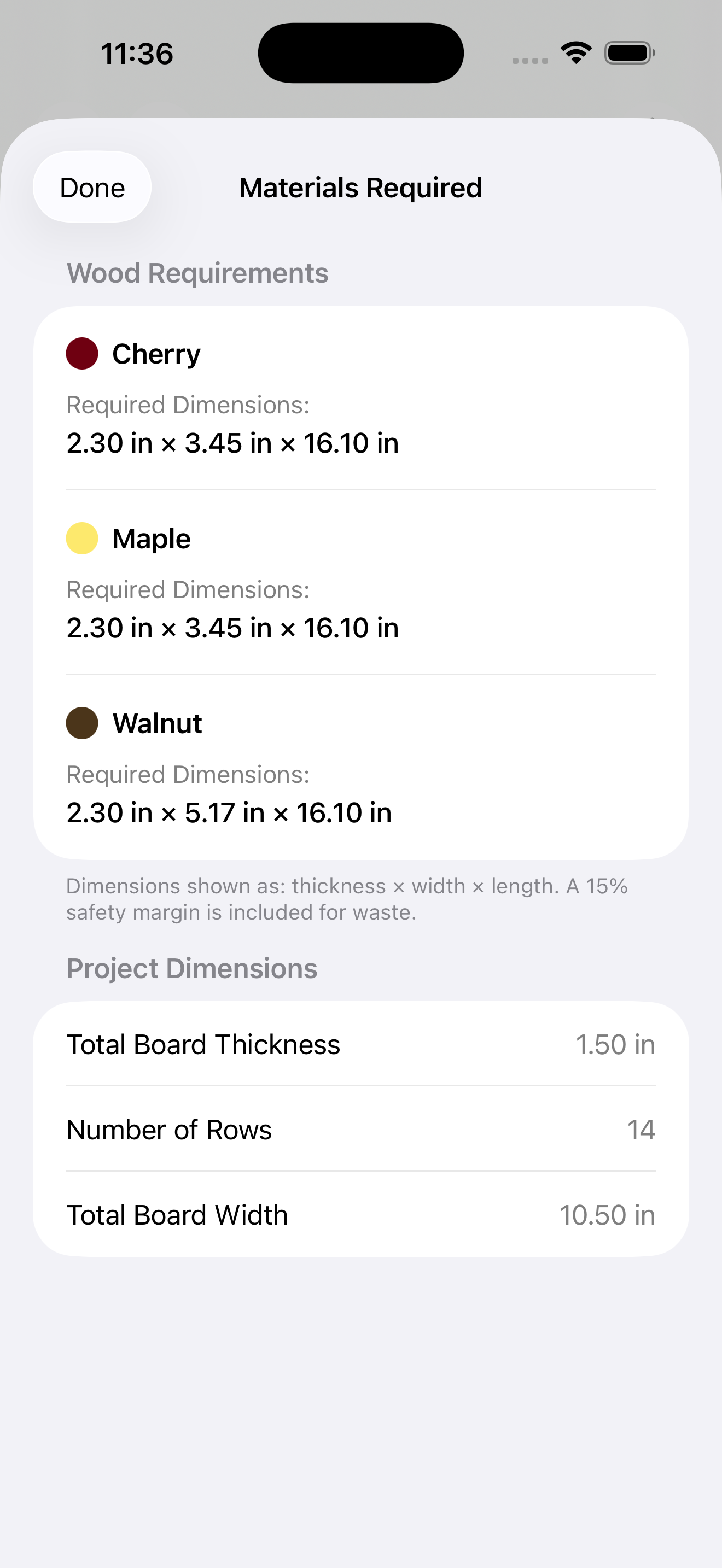
Toggle between top-down 2D and a fully rotatable 3D end grain render. Then drop the board into your real space with AR.
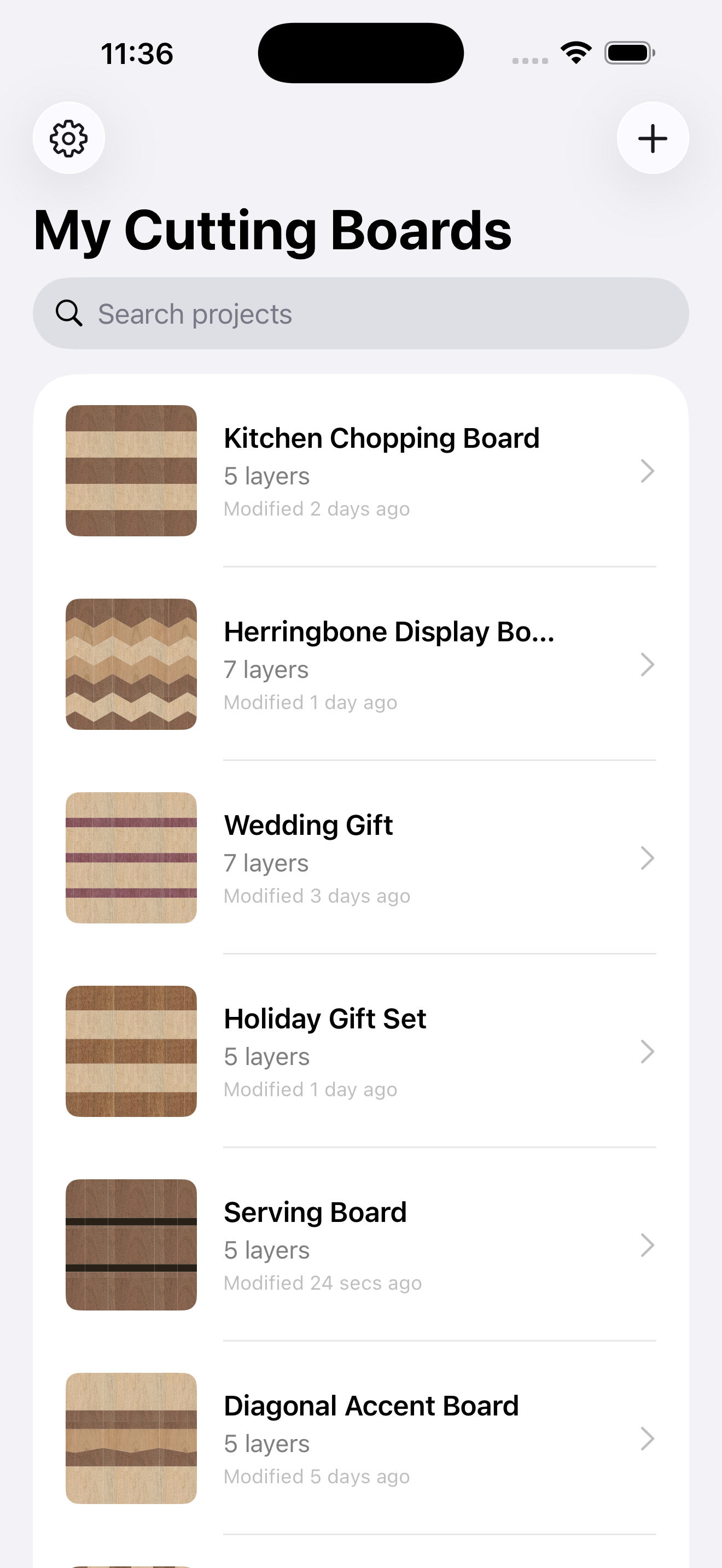
Mix and match the classics to plan your next butcher block, charcuterie board or wedding gift.
Plan your first end grain cutting board without a notebook full of sketches. Pick a template, swap the woods, and the app handles strip widths, slice counts and kerf — so your first glue-up actually fits the clamps.
Whether you're after a simple chopping board or a bold herringbone display piece, you'll know exactly what to buy and exactly how it will look.
Iterate on commissions in front of the customer. Tweak a layer, rotate the 3D preview, drop the board into their kitchen with AR. Confirm the design before a single board foot is bought.
Perfect for wedding gifts, anniversary boards, charcuterie commissions and butcher blocks. Sync your project library across iPhone, iPad and Mac so your designs are always to hand.
Both. Cutting Board Designer is a free online cutting board calculator and a visual designer in one tool. Set your board dimensions, stack wood species, and the calculator returns strip widths, slice counts, blade kerf, finished board length, and total board feet per wood species — alongside a live 2D and 3D preview of the finished pattern. It replaces both pen-and-paper math and a separate cutting board calculator spreadsheet.
Cutting Board Designer is a dedicated iPhone, iPad, and Mac app for planning end grain cutting boards, butcher blocks, and charcuterie boards. It generates a live 3D preview, an augmented-reality view at full scale, and an exact cut list with blade kerf compensation — so woodworkers can plan a board completely before buying any wood.
Start from a template (Classic Stripes, Checkerboard, Three-Wood Bands, Diagonal Accent, or Minimalist) or a blank board. Add layers of wood species, set widths and angles, then let the app calculate strip widths, slice counts, blade kerf, finished board length, and total wood needed per species. The 3D and AR previews show how the finished board will look before any wood is cut.
An end grain cutting board exposes the cross-section of wood fibres on its working surface. The fibres act like tiny bristles that close around the blade, making the board gentler on knives and longer-lasting than face grain alternatives.
No. Start with a built-in template, swap the woods, and the app handles the geometry — strip widths, slice counts, blade kerf, and finished board size — so even first-time end grain board makers get usable plans.
Yes. The app runs natively on iPhone (iOS), iPad (iPadOS), and Mac (macOS). Sign in to sync your projects across every device.
Yes. Tap "View in AR" from the 3D screen to drop your design into your real workshop or kitchen at full scale before cutting any wood.
Six wood species are built in: walnut, maple, cherry, ebony, jatoba, and purpleheart. Pro subscribers can add unlimited custom species with their own names and colour swatches, suitable for exotic or proprietary woods.
Yes. The web designer runs in any modern browser — no install, no sign-up required. Sign in if you want cloud sync with the iPhone, iPad and Mac apps. The native apps add AR preview at full real-world scale, which the web version does not.
The web designer and the iPhone/iPad/Mac app are both free to use. A Pro subscription unlocks unlimited projects, AR preview (native apps only), custom wood species, and cloud sync. Pricing is shown in your local currency on the App Store, or via Stripe in the web version.
Yes. Blade kerf is built into every cut list. Set your saw's kerf width and the app accounts for it when calculating strip widths and finished board dimensions, so you don't end up short on wood at the bench.
Yes. Designing, editing, and 3D preview all work without an internet connection. Cloud sync requires a network connection when signed in.
Free in your browser. Free on the App Store. Pro features unlock unlimited projects, AR preview, custom wood species and cloud sync.